
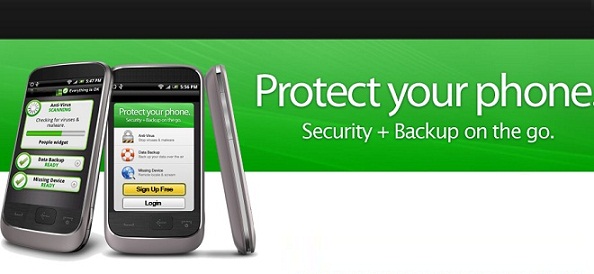
Our free Mobile Security app provides full functionality to protect your Android device without reducing performance or battery life. Using up-to-the-minute intelligence from NetSec Software Technology, we scan your apps on demand or in intervals of your choice. This antivirus functionality helps you avoid undesirable software that may lead to data loss and unexpected costs. And if your device is lost or stolen, a remote lock or wipe will shield your personal information from prying eyes.
Anti-malware and antivirus protection
* Scans apps when you install them
* Scans previously installed apps both on your device and on storage devices
* Scans apps either on demand or in set intervals
* Shows you potentially unwanted apps (PUAs)
* Protects you from hacked USSDs
* Uses up-to-the-minute threat intelligence from the cloud
Loss and theft protection
* Send text commands from pre-defined phone numbers to perform various tasks
* Remote lock or wipe a lost or stolen Android device
* Trigger a Remote Alarm to make your phone ring loudly
* Display a message for the finder
* Reset your device passwd code
* Locate your device with tracking technology (the device also sends its last location before the battery runs out)
* Informs you of a SIM change
Spam protection
* Filters incoming text messages (SMS) according to your rules
* Places texts with malicious URLs in quarantine
* Blocks unwanted calls according to the filters you set, e.g., calls with hidden user ID
Privacy protection and security
* Detects apps accessing personal data such as your address book
* Lets you easily identify apps which can cause costs
* Gives you advice on how to improve your security settings
The subject of security for the Android platform is far from straightforward. There's some debate about whether you really need antivirus apps on your smartphone. The majority of Android security apps are actually packages that include a host of other tools from contact filtering to remote lock or wipe. We decided to take a look at the top three Android security apps and find out what they do. As a genuinely free app for the Android platform, Mobile Security is offering an impressive range of tools. It has antivirus protection, it scans your apps to provide details on what they are doing, and it has a Web shield that scans URLs for malware. There are various additional tools in the package and the best of the bunch is the anti-theft component. The app is actually based on an old app called Theft Aware which Antivirus acquired. The anti-theft feature is hidden and allows you to remote control your smart phone using SMS. So if you lose your phone, you can remotely lock it, locate it, or wipe it. You can make it play a siren sound, lock down the SIM card, and prevent USB debugging as well. It's a comprehensive solution for theft protection. Android's Five Key Security Features: 1. Security at the Operating System level through the Linux kernel 2. Mandatory application sandbox 3. Secure inter process communication 4. Application signing 5. Application-defined and user granted permissions Android Security: System-Level Security Features The Linux kernel provides Android with a set of security measures. It grants the operating system a user-based permissions model, process isolation, a secure mechanism for IPC, and the ability to remove any unnecessary or potentially insecure parts of the kernel. It further works to prevent multiple system users from accessing each other's resources and exhausting them. Android Application Security Features This user-based protection allows Android to create an "Application Sandbox." Each Android app is assigned a unique user ID, and each runs as a separate process. Therefore, each application is enforced at the process level through the Linux kernel, which does not allow applications to interact with one another, and gives them only limited access to the Android operating system. This gives the user permission based access control, and he/she is presented with a list of the activities the Android application will perform and what it will require to do them, before the app is even downloaded. The same goes for file system permissions each application (or user) has its own files, and unless a developer explicitly exposes files to another Android application, files created by one application cannot be ready or altered by another.
Android Application Security Scans When building and testing the security of Android apps, developers should follow Android security best practices and keep the following in mid when performing security tests: * inbound SMS listeners (command and control) * unsafe file creation * improper database storage * unsafe use of shared preferences * storage of sensitive data on mass storage device * content provider SQL injection * APN or proxy modification